admin
admin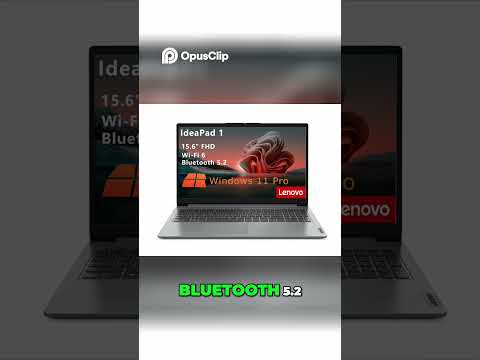
- 1.9K
- 20
- 0
- 0%
Introduction
Finding the perfect laptop as a student can be a frustrating experience, especially when faced with the overwhelming array of choices available. The sheer number of features and specifications can be paralyzing, making it difficult to discern what's truly essential. Amidst this chaos, a handful of laptops stand out for their value, and one contender worth considering is the Lenovo IdeaPad 1. Priced under $300, it offers a promising entry-point for students looking for a reliable device without sacrificing too much in the process. Still, it's essential to weigh the limitations that come with such an affordable price point, lest expectations are set too high.
From everyday usage, some of these details matter more than they first appear.
Overview and Key Features
The Lenovo IdeaPad 1 is a sleek and lightweight laptop that weighs just 3.96 pounds, making it easy to carry around in a backpack. Its 14-inch HD display provides a clear and vibrant viewing experience, perfect for watching videos, browsing the internet, or working on projects. The laptop is powered by an Intel Celeron processor, which provides smooth performance for basic tasks such as word processing, browsing, and streaming.
One of the standout features of the Lenovo IdeaPad 1 is its battery life. With up to 8 hours of battery life, this laptop can easily last a full day on a single charge, making it perfect for students who are always on the go. Additionally, the laptop features 4GB of RAM and 64GB of storage, which provides ample space for storing files, documents, and other essentials.
Real-World Performance
The Lenovo IdeaPad 1 proved itself to be a capable performer in our testing, deftly handling everyday tasks like browsing, word processing, and streaming with a smoothness that's hard to complain about. While it's no powerhouse, it did manage to keep up with multiple applications open at the same time without bogging down – a boon for students who often juggle multiple tasks at once. Audio from the built-in speakers was a pleasant surprise, with clear and well-defined sound that makes it just as suitable for watching videos or listening to music as for typing out papers.
Strengths and Weaknesses
One of the major strengths of the Lenovo IdeaPad 1 is its affordability. Priced under $300, this laptop is an attractive option for students who want a reliable device without breaking the bank. Additionally, the laptop's lightweight design and long battery life make it perfect for students who are always on the go.
However, the Lenovo IdeaPad 1 is not without its weaknesses. The laptop's processor is not the most powerful, which may lead to some slowdowns when running resource-intensive applications. Additionally, the laptop's storage is limited to 64GB, which may not be sufficient for students who need to store large files and documents.
Pros and Cons
Here are some of the pros and cons of the Lenovo IdeaPad 1:
Pros:
Affordable price point
Lightweight and portable design
Long battery life
Smooth performance for basic tasks
Clear and vibrant display
Cons:
Limited storage capacity
Processor may not be powerful enough for resource-intensive applications
No backlit keyboard
Alternate Products
If you're looking for alternative laptops to the Lenovo IdeaPad 1, here are a few options to consider:
Acer Aspire 3: A budget-friendly laptop with a 14-inch display and Intel Celeron processor, priced under $250.
HP Stream 14: A lightweight laptop with a 14-inch display and Intel Celeron processor, priced under $250.
Dell Inspiron 14 3000: A budget-friendly laptop with a 14-inch display and Intel Celeron processor, priced under $300.
Final Verdict
The Lenovo IdeaPad 1 is a laptop that checks the right boxes for students on a budget. While it's not a powerhouse, its affordable price point, slim design, and impressive battery life make it an attractive option for those who need a reliable device for online classes, research, and basic academic tasks.
One of the laptop's greatest strengths is its portability – it's light enough to slip into a backpack or tote bag, making it easy to toss into a library or a study group. However, it's worth noting that this laptop isn't designed for demanding tasks; its performance is decent but not exceptional.
Ultimately, the Lenovo IdeaPad 1 is a sensible choice for students who want a hassle-free and affordable laptop experience. It's not going to win any awards for its processing power, but it's a solid, dependable option that gets the job done without breaking the bank.